
Download Esqueleto 3D – human skeleton, 3D anatomy, interactive learning, medical education, anatomy study
Overview
Esqueleto 3D is a specialized educational tool designed to support the study of the human skeleton through interactive 3D visualization. The application enables users to explore detailed anatomical models of bones from multiple angles, offering a dynamic alternative to static textbooks or two-dimensional diagrams. This immersive approach enhances spatial understanding and is particularly beneficial for students in biology, medicine, and allied health fields, as well as self-learners with an interest in human anatomy.
The app addresses a common challenge in anatomy education: the difficulty of visualizing three-dimensional structures from flat images. By allowing real-time rotation and manipulation of the skeleton, Esqueleto 3D improves comprehension and retention of complex anatomical relationships. The developer, Jason A.
Bilbrey, has created a focused solution that prioritizes clarity and usability over flashy design. Although the developer did not provide additional technical details, the app’s long-standing presence since its release on March 12, 2009, suggests reliability and consistent functionality over time. Real-world use cases include classroom instruction, self-paced study, and preparation for exams in anatomy and physiology.
In the broader app ecosystem, Esqueleto 3D stands out as a niche but valuable utility for learners seeking a focused, no-frills approach to skeletal anatomy.
Key Features & Functionality
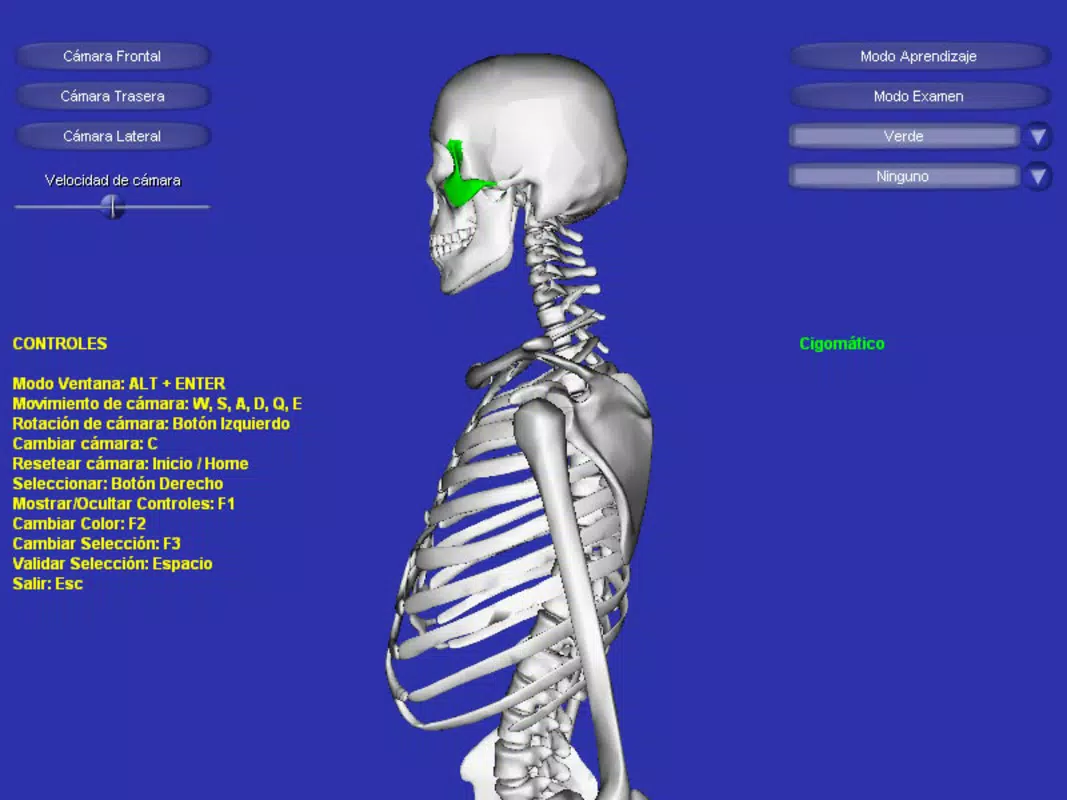
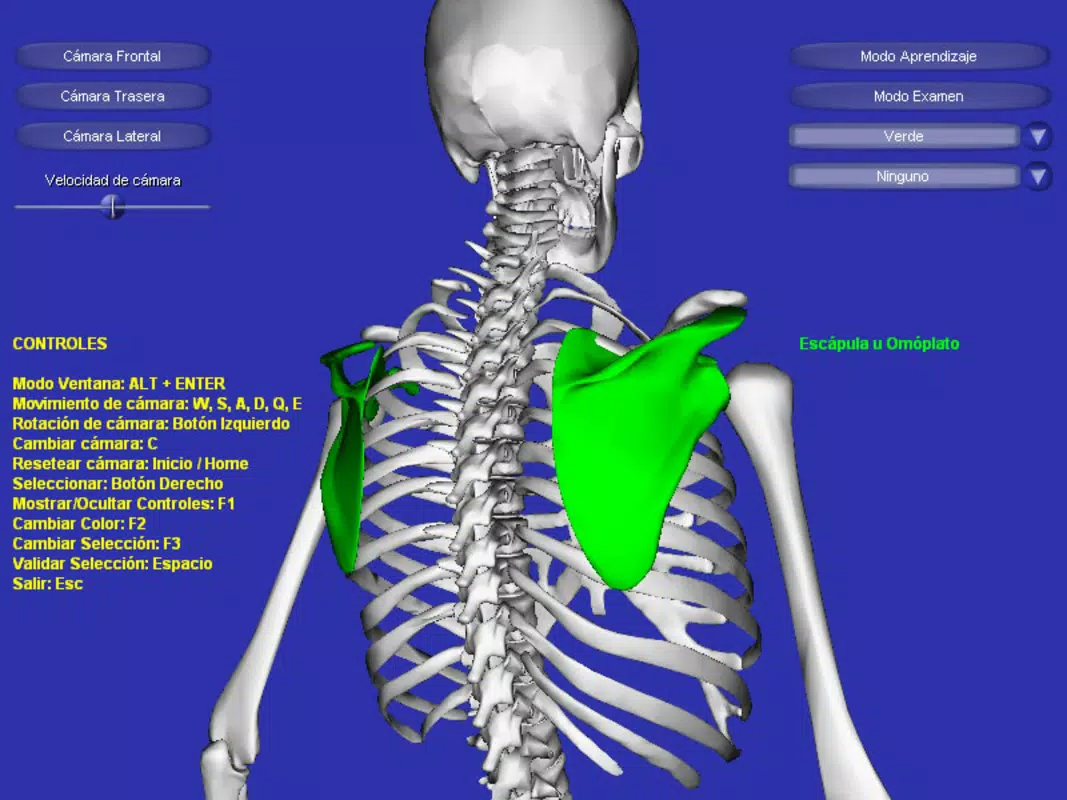
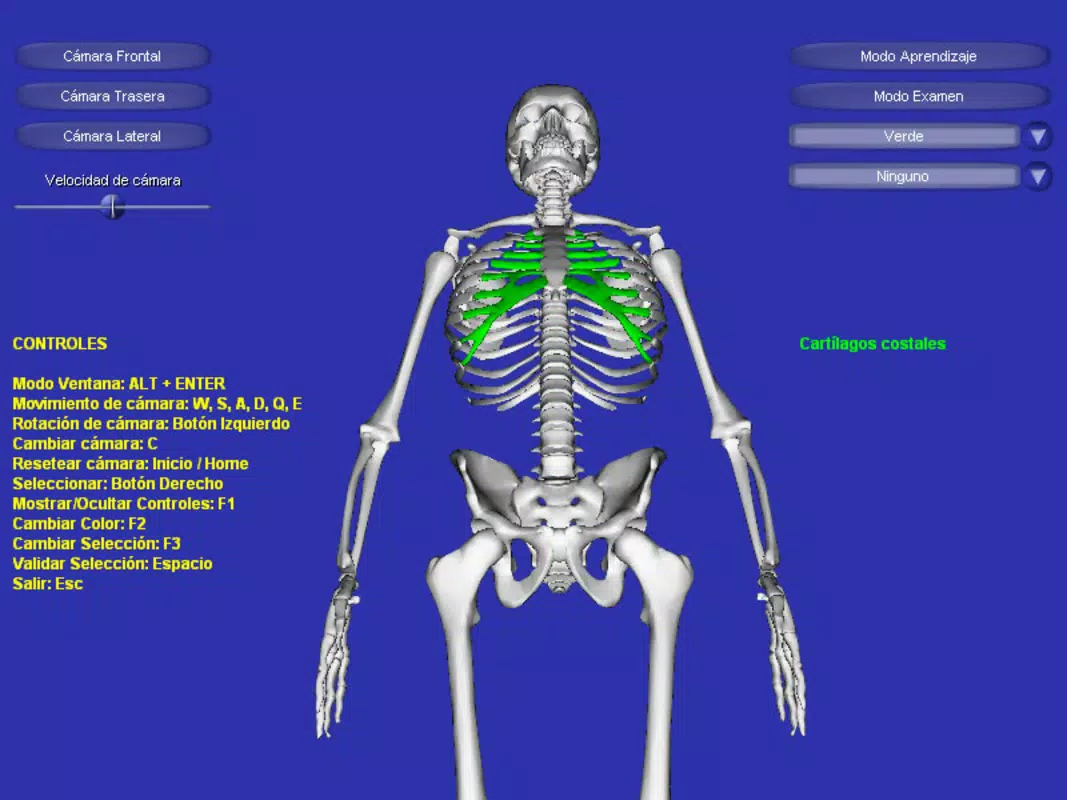
- Interactive 3D Models: Users can rotate, zoom, and pan through a detailed 3D representation of the human skeleton. This functionality allows for a comprehensive view of bone placement, articulation, and spatial relationships, which is difficult to achieve with traditional learning materials.
- User-Friendly Navigation: The app supports intuitive controls via keyboard and mouse, enabling smooth interaction without requiring prior experience with 3D software. This ensures accessibility for learners of all ages and technical skill levels.
- Highlighted Bone Features: When a specific bone is selected, it is visually emphasized with color highlighting. This feature aids in isolating individual bones for focused study and strengthens visual memory through contrast and attention focus.
- Examination Mode: A built-in testing feature challenges users to identify bones by name or function. This mode reinforces learning by applying knowledge in a practical context, making it ideal for review and self-assessment.
For example, a medical student preparing for an anatomy exam can use the interactive model to examine the femur’s articulation with the pelvis, then switch to examination mode to test their recall. Similarly, a high school biology teacher might use the app during a lesson to demonstrate how the skull connects to the spine. These practical applications demonstrate how Esqueleto 3D bridges the gap between theoretical knowledge and hands-on learning, making it a valuable supplement to formal education.
Interface, UX & Performance
The interface of Esqueleto 3D is minimalistic and functionally focused, prioritizing ease of access to core features. The layout centers around the 3D model, with navigation controls positioned for intuitive use. Visual design is straightforward, avoiding distractions that could interfere with the learning process.
Users can interact with the model using standard keyboard shortcuts and mouse movements, which contributes to a smooth and predictable experience. Although the developer did not list formal performance metrics, the app’s small file size of 1.7 MB suggests efficient resource usage, making it suitable for older or lower-spec systems. Responsiveness is maintained across various device categories, though specific compatibility details were not disclosed.
Stability appears consistent given the app’s long availability since 2009. Users can expect minimal lag during rotation and zoom operations, ensuring a fluid learning experience. The lack of advertisements or in-app purchases further enhances usability.
Overall, the user experience is optimized for educational engagement, with minimal friction between the user and the content.
Platform Compatibility & Technical Requirements
Esqueleto 3D is designed for the Windows platform and requires no additional software to run. The current version is 1.0, with a file size of 1.7 MB, indicating a lightweight and efficient application. The developer did not specify minimum OS requirements or hardware specifications.
Compatibility information was not fully disclosed, so users should verify system compatibility based on their device’s capabilities. The app is available at no cost, making it accessible to a broad audience. While it is not currently available on mobile platforms, its desktop-focused design suggests it is best suited for use on computers with larger screens.
For users seeking a free, downloadable tool for anatomy study, Esqueleto 3D offers a dedicated solution without the need for subscriptions or in-app purchases.
Pros and Cons
- Free to download and use with no hidden costs
- Lightweight file size suitable for older or low-spec devices
- Interactive 3D models enhance spatial understanding of anatomy
- Examination mode supports active recall and knowledge retention
- Simple, intuitive interface designed for learners of all levels
- Not available on mobile platforms (Android, iOS)
- No detailed technical requirements provided by the developer
- Interface may appear dated compared to modern 3D applications
- Limited to human skeleton content—no additional anatomical systems included
- Version 1.0 suggests minimal updates or feature expansion over time
FAQ
Is Esqueleto 3D safe to download and install?
Yes, the app is free and available from official sources. As a lightweight Windows application with no known malware reports, it is considered secure for educational use.
Can I use Esqueleto 3D on my mobile device?
Currently, the app is only available for Windows. There is no version for Android or iOS devices. Users must access it via a desktop or laptop computer.
Is Esqueleto 3D updated regularly?
The app is currently at version 1.0, and the developer has not released any recent updates. While it remains functional, it may not include modern features or optimizations.
Do I need an internet connection to use Esqueleto 3D?
No, the application runs offline. All content and functionality are contained within the app, making it ideal for use in classrooms or environments without consistent internet access.
What operating systems support Esqueleto 3D?
The developer did not specify minimum OS requirements. However, given its release date and small file size, it is likely compatible with older versions of Windows, including Windows 7 and later.
Final Thoughts + CTA
Esqueleto 3D remains a dependable tool for anyone seeking to deepen their understanding of human anatomy through interactive 3D visualization. While its interface may appear dated and its feature set limited to the skeletal system, its core strengths—accuracy, simplicity, and accessibility—make it a standout choice for students, educators, and anatomy enthusiasts. The inclusion of examination mode adds a valuable layer of active learning, turning passive viewing into meaningful study.
Its free price point and minimal system requirements further enhance its appeal. For those who need a focused, no-frills tool to explore the human skeleton, Esqueleto 3D delivers consistent value. Download Esqueleto 3D now and transform your anatomy study with immersive, interactive learning.


